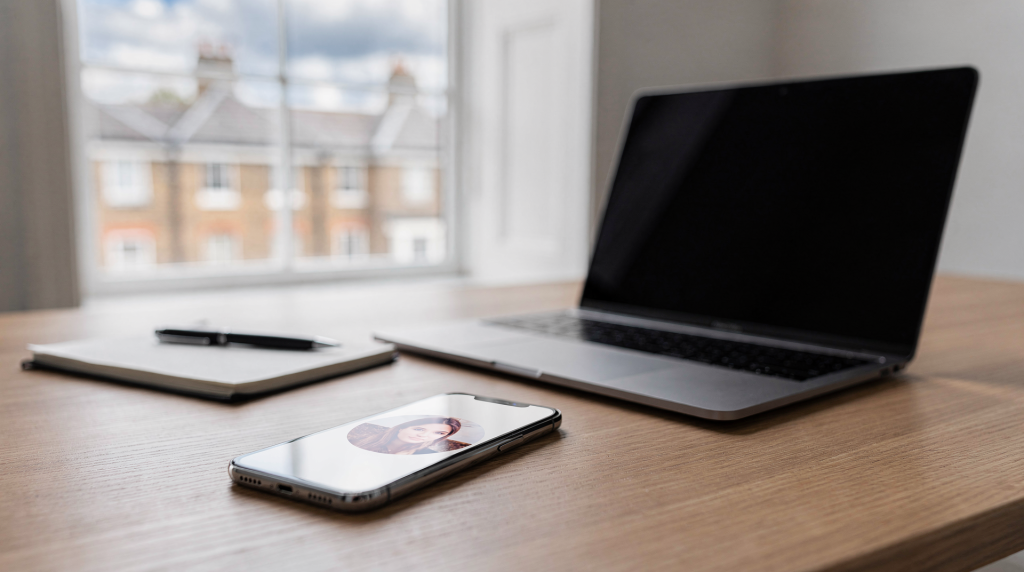
Instagram profile pictures are displayed absurdly small in the app, but in most cases you can still access and save them in a larger square format. The two most reliable routes are Instagram’s own account data download for your personal profile photo, and a dedicated profile-picture viewer for public accounts when you need to inspect the image at full available resolution before saving.[1][2][4] For agents and property marketers, this isn’t just a curiosity — it’s a practical step when you’re auditing competitor branding, verifying a collaborator’s identity, or pulling together consistent visual assets across your marketing channels.
Why Instagram profile pictures look cropped and tiny
Instagram renders profile photos as a small circle on mobile and a square on the web, compressing the visual down to a size where fine details — logos, facial expressions, text elements — become illegible.[7][14] Even when the original upload is a crisp, high-resolution file, the platform deliberately serves a reduced version in the interface. This is a design choice, not a technical limitation of the image itself.[7][14] That’s precisely why people go looking for ways to pull the full-size file: the thumbnail simply doesn’t tell the full story.
In real estate, this limitation has real consequences. When you’re scanning a competitor’s profile to understand their visual branding strategy, or you need to confirm that a potential partner’s account genuinely represents their agency, a tiny circular thumbnail isn’t enough. You need to see the image at a size where you can read the logo, assess the color palette, and judge the overall professionalism. The same applies when you’re building a shared asset library for your team — you want the cleanest version of every visual element, not a postage-stamp approximation.
The safest ways to save an Instagram profile picture in full size
1. Download your own Instagram data
If the profile picture belongs to your own account, Instagram’s account-data export is the cleanest and most dependable method available.[1] Inside your account settings, you request a download of your information, and Instagram compiles everything into a ZIP file delivered via email. Once you extract that archive, the profile photo sits in a dedicated profile_photos folder as a high-resolution square JPEG — exactly as you uploaded it, without any additional compression or cropping introduced by the platform.[1]
I recommend this approach not just for one-off retrievals, but as part of a disciplined brand asset workflow. Every time you update your agency’s profile picture, download the data package and archive the image locally. That way, you’re never scrambling to reconstruct a visual identity from screenshots or low-res previews.
Best for:
- Your own account
- Archiving brand assets
- Recovering an older profile picture
Why this method is useful:
- It uses Instagram’s built-in export — no third-party tools, no privacy concerns
- It avoids the quality loss inherent in screenshots
- It gives you a reusable file that matches your original upload
2. Use a profile-picture viewer for public accounts
For public Instagram profiles — competitors, collaborators, or industry peers — several online viewer tools let you enter a username or profile URL and retrieve the largest version Instagram currently serves.[2][3][4][10][15] These tools typically display the image in its full square form, so you can inspect it at a usable resolution before saving.[2][4][15]
From a practical standpoint, this is the fastest way to pull a reference image when you’re doing competitive research or assembling a mood board of visual styles in your market. You’re not downloading anything proprietary — just the publicly served image at the dimensions Instagram already makes available.
Best for:
- Public accounts
- Quick visual checks
- Saving a logo-style profile image for reference
Typical workflow:
- Copy the Instagram username or profile link.[2][3][15]
- Paste it into a profile-picture viewer.[2][3][15]
- Open the full-size result.[2][4][15]
- Save the image to your device.[2][4]
Quick comparison
| Method | Works for | Quality | Pros | Limitations |
|---|---|---|---|---|
| Instagram data download | Your own profile photo | High | Official, reliable, keeps original file structure | Only works for your account[1] |
| Profile-picture viewer | Public accounts | Usually full available size | Fast, simple, no editing needed | Depends on the tool and account privacy[2][4][15] |
| Screenshot | Any visible profile photo | Low | Works instantly | Poor quality, cropped, not ideal for reuse |
Step-by-step: how to save your own profile picture
If you’re downloading your own profile photo, follow this sequence. It’s straightforward, but skipping a step — like choosing the wrong data range — can leave you with an incomplete export.
- Open Instagram settings.[1]
- Navigate to the account/download section and request your information.[1]
- Choose either all data or only profile data — both will include your profile photo.[1]
- Enter your email address and submit the request.[1]
- Wait for the email from Instagram (this can take anywhere from a few minutes to a couple of hours) and download the ZIP file.[1]
- Extract the archive on your computer.[1]
- Look in the
profile_photosfolder for the saved image.[1]
What to check after downloading
- Make sure the file opens as a square image — if it’s oddly cropped, you may have grabbed a cached thumbnail instead of the full asset
- Check that the image is sharp enough for reuse — zoom in to confirm no compression artifacts are visible
- Confirm it is the current version of your profile photo, not an outdated one from a previous export
Step-by-step: how to save a public Instagram profile picture
When the account is public, the process is simpler and faster. You’re essentially querying Instagram’s publicly accessible image servers through a viewer tool that formats the result for you.
- Copy the username from the profile — not the display name, but the actual @handle.[2][3][15]
- Open a profile-picture viewer in your browser.[2][4][15]
- Paste the username or profile URL into the search field.[2][3][15]
- View the full-size image result.[2][4][15]
- Save it using your browser’s right-click or long-press download options.[2][4]
Common mistakes to avoid
Over the years, I’ve seen agents and marketers trip over the same handful of errors when trying to pull profile pictures. Most of them are avoidable with a moment’s attention.
- Using screenshots when you need a clean image file. A screenshot introduces interface elements, compression, and often a circular crop that’s impossible to use in layouts. It’s a reference, not an asset.
- Confusing the display name with the username. The display name can be anything; the username is the unique @handle. Profile-picture viewers need the username to locate the account.
- Expecting a private account to work in a public viewer. If the account is locked, the viewer cannot access the image. This is a privacy restriction, not a tool limitation.
- Assuming every tool shows the exact original upload size. What you’re getting is the largest version Instagram serves, which may not be the raw uploaded file.
- Saving an image without checking whether it is current. Profile pictures change. If you’re pulling a reference for a brand audit, confirm the image matches what you see live on the profile.
Important limitations you should know
Instagram profile photos are not always available in true original upload size. What you can usually access is the largest version the platform currently serves — and that’s an important distinction.[2][4][7][15] Instagram processes every upload, and the version it stores for public retrieval may have been resized or recompressed. Additionally, the image displays differently across devices: mobile almost always shows a circular crop, while the web interface presents a square crop.[7]
Image dimensions also vary by context. One source notes that Instagram profile photos appear as a square on the web and are cropped into a circle on mobile, with the square presentation around 152 pixels per side.[7] Other references confirm that Instagram consistently shows profile images at very small sizes in the interface, which is exactly why a dedicated viewer or data download is more practical than trying to extract anything useful from the app itself.[14]
For property marketers, this means you should treat any profile picture pulled from a public viewer as a reference-grade image, not necessarily a production-ready asset. If you need a logo or headshot for print materials or high-resolution social templates, the original file from the source is always preferable.
When to use each method
- Use Instagram’s data download if you need your own profile picture in the most controlled, highest-quality way. This is the only method that guarantees you’re getting the file you originally uploaded.[1]
- Use a profile-picture viewer if you need to inspect a public account quickly — for competitive research, identity verification, or pulling a reference image into a brand audit.[2][4][15]
- Use a screenshot only if you need a rough visual reminder, not a reusable file. Screenshots are fine for internal notes; they’re not suitable for any outward-facing material.
Practical tip for estate agents and property brands
If you’re managing a team account — whether for an independent agency or a larger property group — treat the profile picture as a core brand asset. Save it alongside your logo, cover images, and social media templates in a dedicated folder. This simple habit makes it dramatically easier to maintain visual consistency across Instagram, LinkedIn, Facebook, and any property marketing materials where your brand mark appears.
I’ve seen too many agencies scramble to recreate a profile picture from memory or a blurry screenshot when they need to update a brochure or a listing presentation. A few minutes of organized file management upfront saves hours of frustration later. Name the file clearly, include the date, and store it where your entire marketing team can access it.
Checklist: before you save a profile picture
- Confirm the account is yours or public — private accounts won’t work with viewer tools
- Check the file is not blurry — open it at full size and inspect the edges and fine details
- Make sure the image matches the current profile photo — compare it side by side with the live profile
- Save it in a branded folder — don’t let it get lost in a generic downloads directory
- Rename the file clearly for later use — include the account name and date, e.g.,
agency-logo-profile-2025-01.jpg
FAQ
Can you save an Instagram profile picture in full size?
Yes, but the result depends on the method. For your own account, Instagram’s data download is the most reliable option and gives you the original uploaded file.[1] For public accounts, viewer tools can show the largest available version Instagram serves, which is usually sufficient for reference and research.[2][4][15]
Can you download someone else’s private profile picture?
Not reliably through public tools. If the account is private, most viewers cannot fetch the image because Instagram’s servers restrict access to it.[2][4][15] This is a privacy feature, not a technical gap.
Does Instagram give the exact original profile photo?
Not always. In many cases, you get the largest version available from Instagram’s servers rather than a guaranteed original upload file. The platform processes images upon upload, and what’s retrievable publicly may differ from the source file.[2][4][15]
Is a screenshot a good alternative?
Only if you need a quick reference. Screenshots are usually lower quality, include interface elements, and are cropped to the circular mobile display. For professional use — especially in real estate marketing where visual quality directly impacts credibility — screenshots are not a viable substitute.
What is the best method for my own profile picture?
Use Instagram’s account download feature. It’s the cleanest and most dependable option for retrieving your own profile photo in its original resolution and format.[1]
Conclusion
If you need to save an Instagram profile picture in full size, the best method depends on ownership and privacy. For your own account, Instagram’s data export is the gold standard — it delivers the original file without compromise.[1] For public profiles, a profile-picture viewer can reveal the largest available image quickly and with minimal friction.[2][4][15]
For professional use in real estate marketing, always check image quality, account privacy, and whether the file is still current before adding it to your brand assets. A clean, well-organized visual library isn’t just good housekeeping — it’s the foundation of consistent, credible presentation across every channel where your agency shows up.